Video Modes
The GBA has 6 video modes (0-5), split into two categories:
- Tile modes (0-2) - the display is built from 8x8 pixel tiles arranged on background layers
- Bitmap modes (3-5) - the display is a framebuffer you write pixels to directly
Setting the video mode
#include <gba/peripherals>

// Mode 3: 240x160 bitmap, 15-bit colour, 1 layer
gba::reg_dispcnt = { .video_mode = 3, .enable_bg2 = true };

// Mode 0: 4 tile backgrounds, no rotation
gba::reg_dispcnt = {
    .video_mode = 0,
    .enable_bg0 = true,
    .enable_bg1 = true,
};
Mode summary
| Mode | Type | BG layers | Resolution | Colours |
|---|---|---|---|---|
| 0 | Tile | BG0-BG3 (all regular) | Up to 512x512 | 4bpp or 8bpp |
| 1 | Tile | BG0-BG1 regular, BG2 affine | Up to 1024x1024 | 4bpp/8bpp + 8bpp |
| 2 | Tile | BG2-BG3 (both affine) | Up to 1024x1024 | 8bpp |
| 3 | Bitmap | BG2 | 240x160 | 15-bit direct |
| 4 | Bitmap | BG2 (page flip) | 240x160 | 8-bit indexed |
| 5 | Bitmap | BG2 (page flip) | 160x128 | 15-bit direct |
Mode 3: the simplest mode
Mode 3 is a raw 240x160 framebuffer at 0x06000000. Each pixel is a 15-bit colour:
#include <gba/bios>
#include <gba/interrupt>
#include <gba/video>

int main() {
    gba::irq_handler = {};
    gba::reg_dispstat = {.enable_irq_vblank = true};
    gba::reg_ie = {.vblank = true};
    gba::reg_ime = true;

    gba::reg_dispcnt = {.video_mode = 3, .enable_bg2 = true};

    // Draw a red pixel at (120, 80) - center of screen
    gba::mem_vram[120 + 80 * 240] = 0x001F;

    // Draw a green pixel one to the right
    gba::mem_vram[121 + 80 * 240] = 0x03E0;

    // Draw a blue pixel one below
    gba::mem_vram[120 + 81 * 240] = 0x7C00;

    while (true) {
        gba::VBlankIntrWait();
    }
}
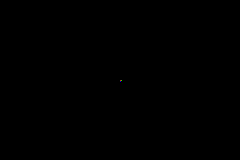
This is the easiest mode to learn with, but it uses the most VRAM (75 KB of the available 96 KB), leaving little room for sprites or other data.
Tile modes for games
Most GBA games use mode 0 or mode 1. Tiles are memory-efficient (a 256x256 background uses only ~2 KB for the map + shared tile data), and the hardware handles scrolling, flipping, and palette lookup in zero CPU time.
See Tiles & Maps for details on tile-based rendering.